
Multiple Cursors
Use multiple cursors in Vim and Neovim to rename symbols, apply edits to several ranges, run refactors, move between cursors, and cancel safely.
coc.nvim project documentation · Content sources and maintainers
Edit this pageUse multiple cursors to edit several places in the current document at once.
Each cursor represents a text range.
The ranges are highlighted by the CocCursorRange highlight group (linked to Search by default). To override the highlight, add the following to your .vimrc:
| 1 | hi CocCursorRange guibg=#b16286 guifg=#ebdbb2 |
Start a multiple cursors session
The following keymaps start a multicursor session:
<Plug>(coc-cursors-position)adds the current character range to the cursors.<Plug>(coc-cursors-word)adds the current word range to the cursors.<Plug>(coc-cursors-range)adds the currently selected visual range to the cursors.<Plug>(coc-cursors-operator)uses an operator to add a range to the cursors.
You can remove the range under the cursor by triggering one of these keymaps.
Example usage:
| 1 | nmap <silent> <C-c> <Plug>(coc-cursors-position) |
| 2 | nmap <silent> <C-d> <Plug>(coc-cursors-word) |
| 3 | xmap <silent> <C-d> <Plug>(coc-cursors-range) |
| 4 | " use normal command like `<leader>xi(` |
| 5 | nmap <leader>x <Plug>(coc-cursors-operator) |
Or use the following mapping to add the current word to the selection and move to the next occurrence:
| 1 | nmap <silent> <C-d> <Plug>(coc-cursors-word)* |
| 2 | xmap <silent> <C-d> y/\V<C-r>=escape(@",'/\')<CR><CR>gN<Plug>(coc-cursors-range)gn |
Or, for more VS Code-like behavior:
| 1 | nmap <expr> <silent> <C-d> <SID>select_current_word() |
| 2 | function! s:select_current_word() |
| 3 | if !get(b:, 'coc_cursors_activated', 0) |
| 4 | return "\<Plug>(coc-cursors-word)" |
| 5 | endif |
| 6 | return "*\<Plug>(coc-cursors-word):nohlsearch\<CR>" |
| 7 | endfunc |
You can also use an internal command API to add ranges:
| 1 | import {commands} from 'coc.nvim' |
| 2 | // hlRanges is a list of LSP Range |
| 3 | await commands.executeCommand('editor.action.addRanges', hlRanges) |
Or use Vimscript:
| 1 | call CocAction('runCommand', 'editor.action.addRanges', hlRanges) |
Rename current variable
One common task is renaming the variable under the cursor.
Use the :CocCommand document.renameCurrentWord command to start a multicursor session with ranges containing the current word.
Note: coc.nvim gets the word ranges from the language server when possible. If no language server is available, it uses exact word matches in the current buffer.
Make changes for cursors
During a multicursor session, changes to one placeholder apply to all cursor ranges.
- You can edit the text with normal-mode commands or by inserting text.
- You can change text around the cursors with commands like
ysiw"(withtpope/vim-surroundinstalled). - You can undo and redo the changes.
- You can't insert a new line within cursor ranges; doing so cancels the session.
Jump between ranges of cursors
- Use
"cursors.nextKey"to jump to the next position in a cursor range; defaults to<C-n>. - Use
"cursors.previousKey"to jump to the previous position in a cursor range; defaults to<C-p>.
coc.nvim creates these key mappings when a multicursor session starts and removes them when the session ends.
Cancel cursors session
Use "cursors.cancelKey" to cancel the cursors session; defaults to <Esc>.
The session is also cancelled when a buffer change can't be applied to the ranges.
Use refactor action
Use <Plug>(coc-refactor) to create a refactor window for the current symbol.
Note: This requires the language server's rename feature.
When the window opens, related ranges are added to a new cursors session. You can:
- Edit the placeholder to rename the symbol.
- Save the buffer to synchronize changes to related buffers.
- Add or remove lines.
- Press
<CR>to open the line under the cursor in a split window on the right. - Change the content of related buffers; the changes will be synchronized to the refactor buffer.
- Fold the ranges with commands like
zi.
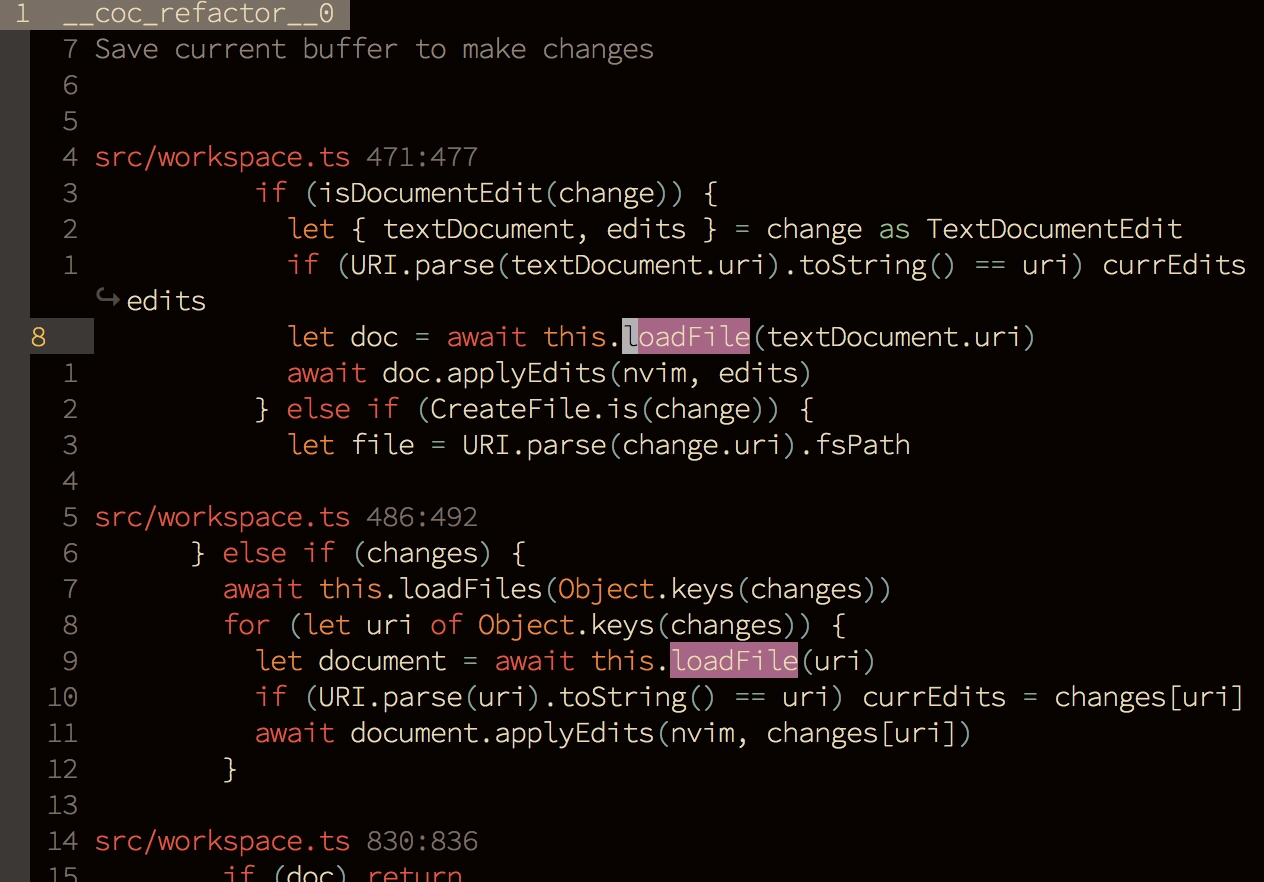
Available refactor settings:
refactor.openCommand: command used to open the refactor window; defaults tovsplit.refactor.beforeContext: number of leading context lines to print before each match; defaults to3.refactor.afterContext: number of trailing context lines to print after each match; defaults to3.
Use CocSearch command
To rename a variable across files in the current working directory, use the :CocSearch command, which requires ripgrep.
Each range of lines is added to the refactor window asynchronously, and matched ranges are added to a cursors session for renaming.
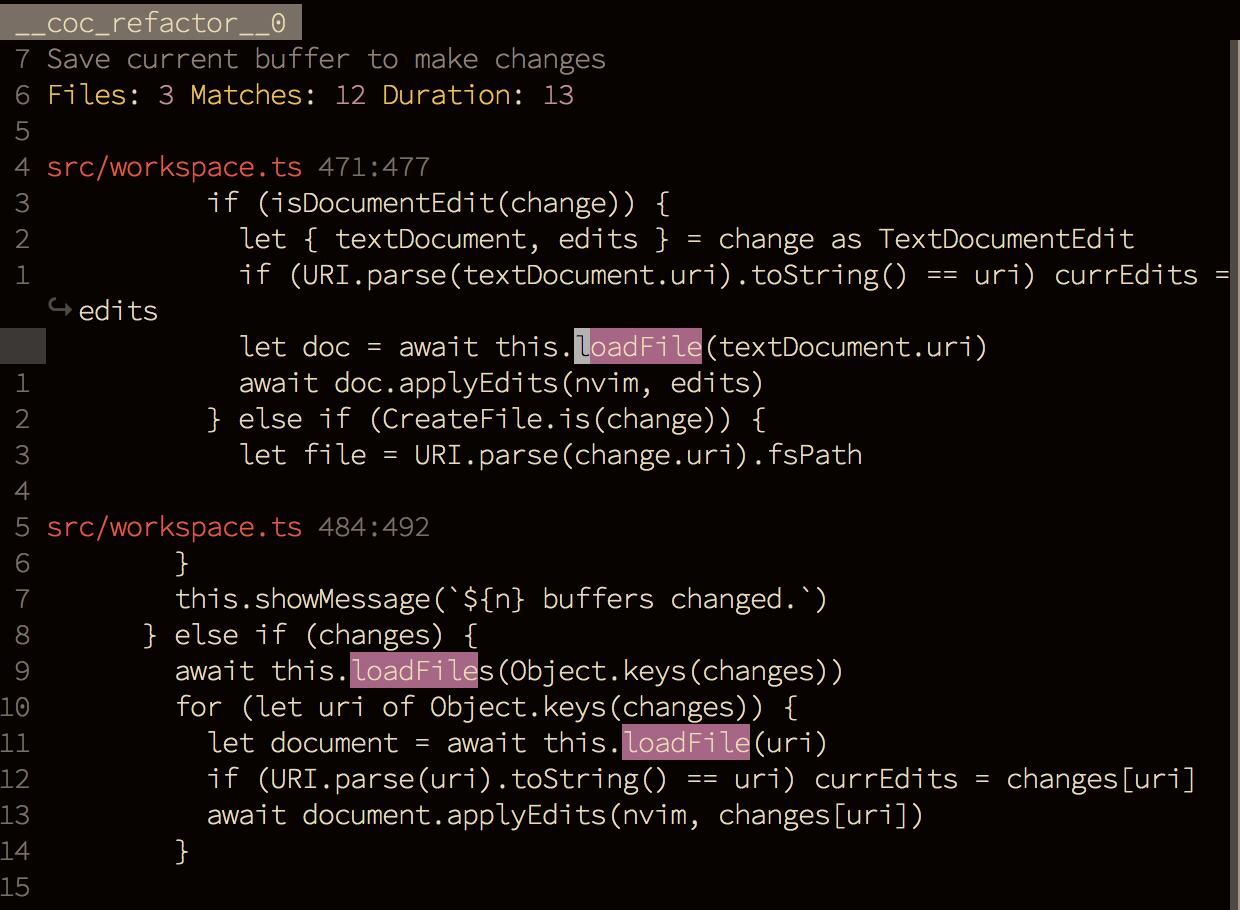
Tips:
- Don't edit the buffer until the search finishes.
- Use
<tab>after typing the:CocSearchcommand to see the available options. - Use
:CocSearch -w [word]for whole-word matching.
Limits and keymap conflicts
A cursors session is temporary. coc.nvim creates its next, previous, and cancel mappings when the session starts and removes them when it is canceled. The defaults are <C-n>, <C-p>, and <Esc>; choose different keys in cursors.nextKey, cursors.previousKey, and cursors.cancelKey when those keys conflict with your insert or normal-mode mappings.
You cannot insert a new line inside cursor ranges. The session is also canceled when a buffer change can no longer be applied to all ranges. Save or undo carefully when a refactor buffer is active, because its workspace edits are synchronized across related buffers.